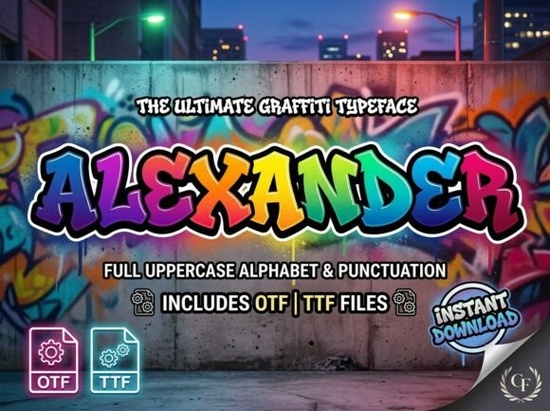
If you've been searching for a decorative display font that actually stands out, the Alexander Font deserves a closer look. It's a bold, artistic typeface with hand-crafted letterforms designed for projects where typography needs to carry the entire visual weight. Think posters, logos, packaging, and social media graphics that need to grab attention fast.
What Makes the Alexander Font Different from Other Decorative Fonts?
Plenty of decorative fonts look interesting at first glance but fall apart in real design work. They're either too messy to read or too generic to make an impact. The Alexander Font finds a middle ground. Its letterforms have intricate, artistic details but they still maintain enough structure to stay legible at large sizes.
That balance matters. A font can look wild and creative, but if people can't read your headline or brand name in half a second, it's not doing its job. This typeface keeps the visual personality high while staying functional for professional use.
What Can You Actually Use This Font For?
This is where the Alexander Font really shines. It's not a one-trick typeface. Here are some practical ways designers and creators are putting it to work:
- Poster and flyer design Bold headlines that pull the eye from across the room.
- Brand identity and logos Especially for creative businesses, studios, or personal brands that want something with character.
- Apparel and merchandise T-shirt designs, hoodie prints, tote bags, and other print-on-demand products.
- Social media graphics Quote posts, announcements, and promotional content that need to stop the scroll.
- Product packaging Giving products an artistic, premium feel on the shelf.
- Music and event artwork Album covers, concert flyers, and festival branding.
If you're running a print-on-demand shop, a typeface like this can quickly become a go-to for seasonal drops, limited edition designs, and bold statement pieces. Pair it with simpler body fonts to keep your layouts balanced.
Does It Work with the Software I Already Use?
Yes. The Alexander Font is compatible with both PC and Mac systems. It works in professional design tools like:
- Adobe Illustrator
- Adobe Photoshop
- Adobe InDesign
It also works in more beginner-friendly platforms, including:
- Canva
- Microsoft Word
- Cricut Design Space
So whether you're a seasoned designer working in Illustrator or a small business owner creating graphics in Canva, you won't run into compatibility headaches. If you use Cricut for cutting projects, this font translates well for vinyl decals, heat transfers, and paper crafts.
How Does It Compare to Other Creative Fabrica Fonts?
Creative Fabrica has a large library of decorative typefaces, so it's worth knowing how this one fits in. If you're building a collection, here's how it compares to a couple of other options:
For something more playful and lighthearted, a fun dot-style decorative font works well for kids' projects, party invitations, and casual branding. It has a very different tone cute rather than bold.
If you need something for monogram work or more structured, formal designs, monogram-friendly slab serif styles give you that clean, traditional feel that pairs well with wedding stationery and boutique logos.
The Alexander Font sits in a different lane entirely. It's expressive, modern, and attention-grabbing. You can explore the full details and download it here.
Tips for Getting the Best Results with Decorative Display Fonts
A few quick design tips to make this font work its hardest:
- Use it at larger sizes. Decorative fonts are built for headlines and display text, not body copy. Keep it above 24pt for the best readability.
- Pair it with a simple sans-serif or serif. Let the Alexander Font be the star while a clean secondary font handles the supporting text.
- Give it breathing room. Generous spacing around the text helps intricate letterforms read clearly.
- Test it on your actual product. If you're making a T-shirt mockup or packaging layout, always preview at final size before committing.
Quick Checklist Before You Buy
- Think about your top 2–3 use cases (posters, merch, logos, etc.).
- Confirm the font works in your preferred design software.
- Consider what secondary font you'll pair it with for body text.
- Check the license terms on Creative Fabrica to make sure it covers your intended use.
- Download, install, and test it on a real project before scaling up.
If you create bold, eye-catching designs regularly, having a strong decorative display font like the Alexander typeface in your toolkit saves time and gives your work a consistent, professional edge.
Try It Free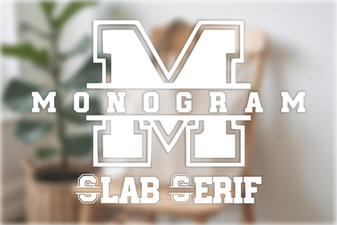 Stylish Monogram Slab Serif Font for Modern Branding
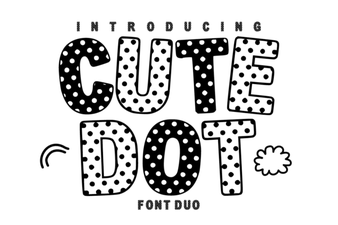 Cute Dot Duo Font – Playful Decorative Dot Style Typeface
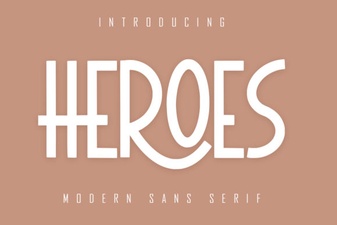 Heroes Font: Bold Typography for Creative Design Projects
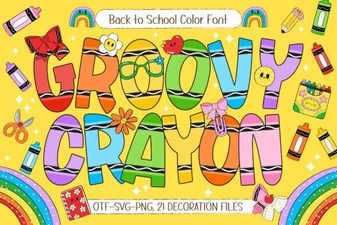 Groovy Crayon Font for Fun and Creative Design Projects
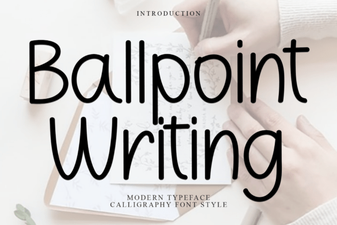 Ballpoint Writing Font: Creative Design Inspiration
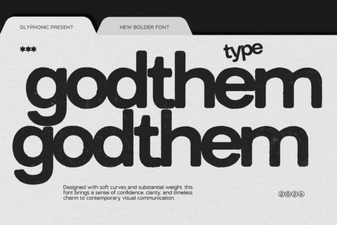 Godthem Font – a Stylish Choice for Creative Projects